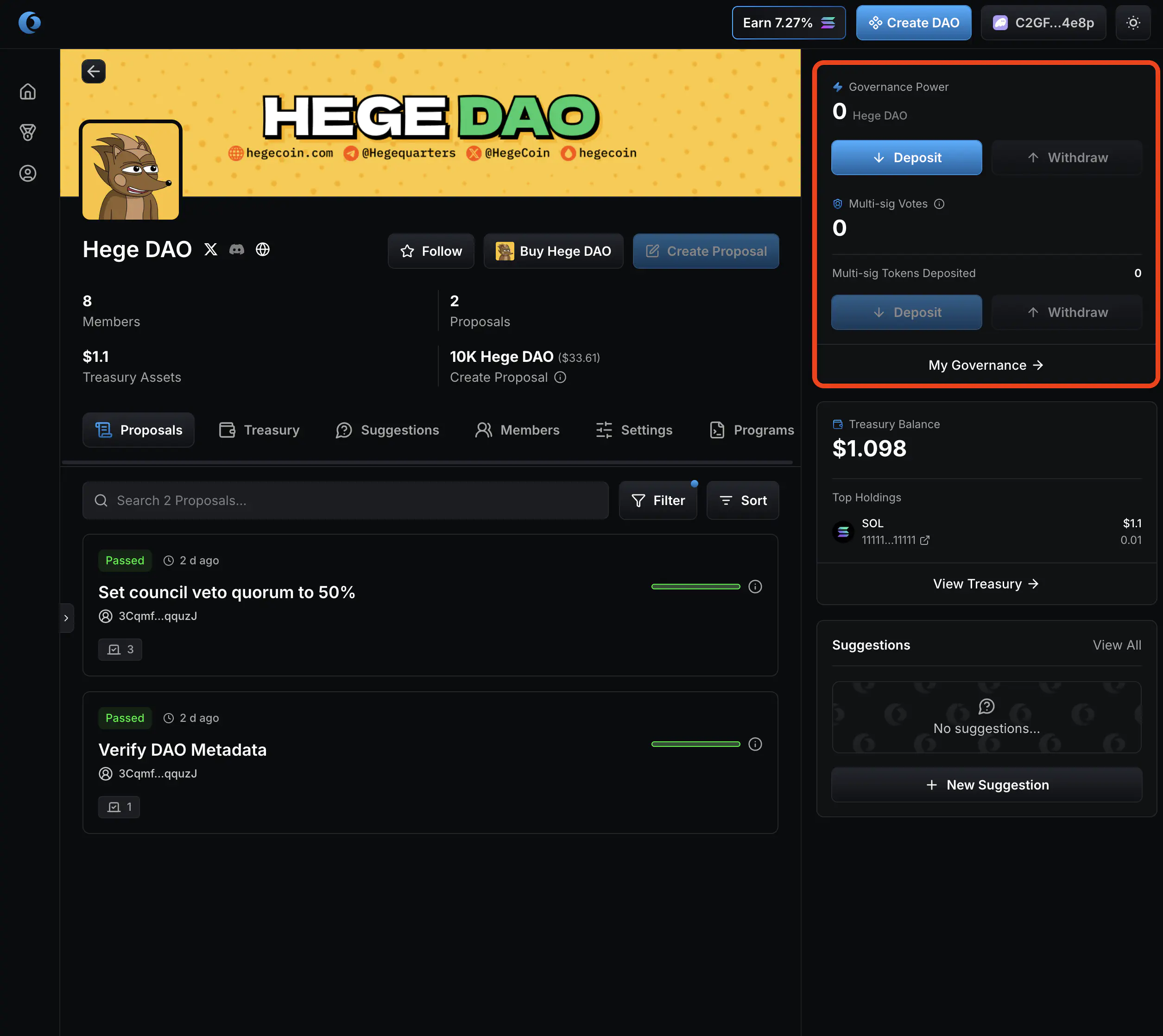
How To Deposit and Withdraw $HEGE From the Hege DAO
Learn how to deposit and withdraw $HEGE from the Hege DAO.
This post is part of a series of posts about the Hege DAO, see How To Use the Hege DAO for an introduction and overview.
How to deposit and withdraw
NOTE: If you have never deposited into the Hege DAO before, please follow the instructions in How to Become a Member of the Hege DAO.
If you have made the initial deposit into the Hege DAO, follow the instructions below to deposit more $HEGE, or to withdraw some of your deposited tokens.
How to deposit $HEGE into the Hege DAO
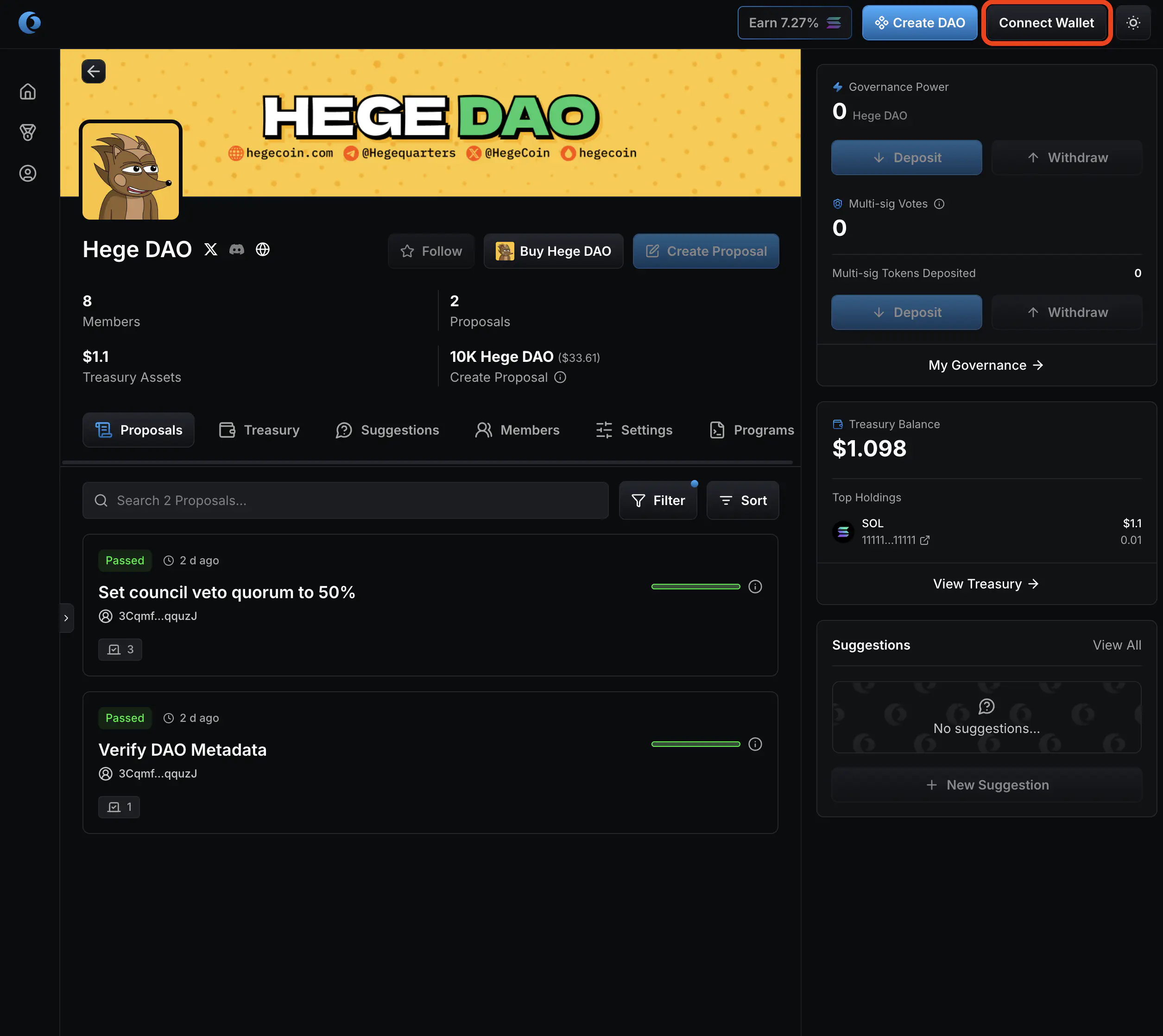
- Go to the Hege DAO page on Realms. It should look something like this. Click “Connect Wallet” in the upper right corner of the page to connect your wallet.
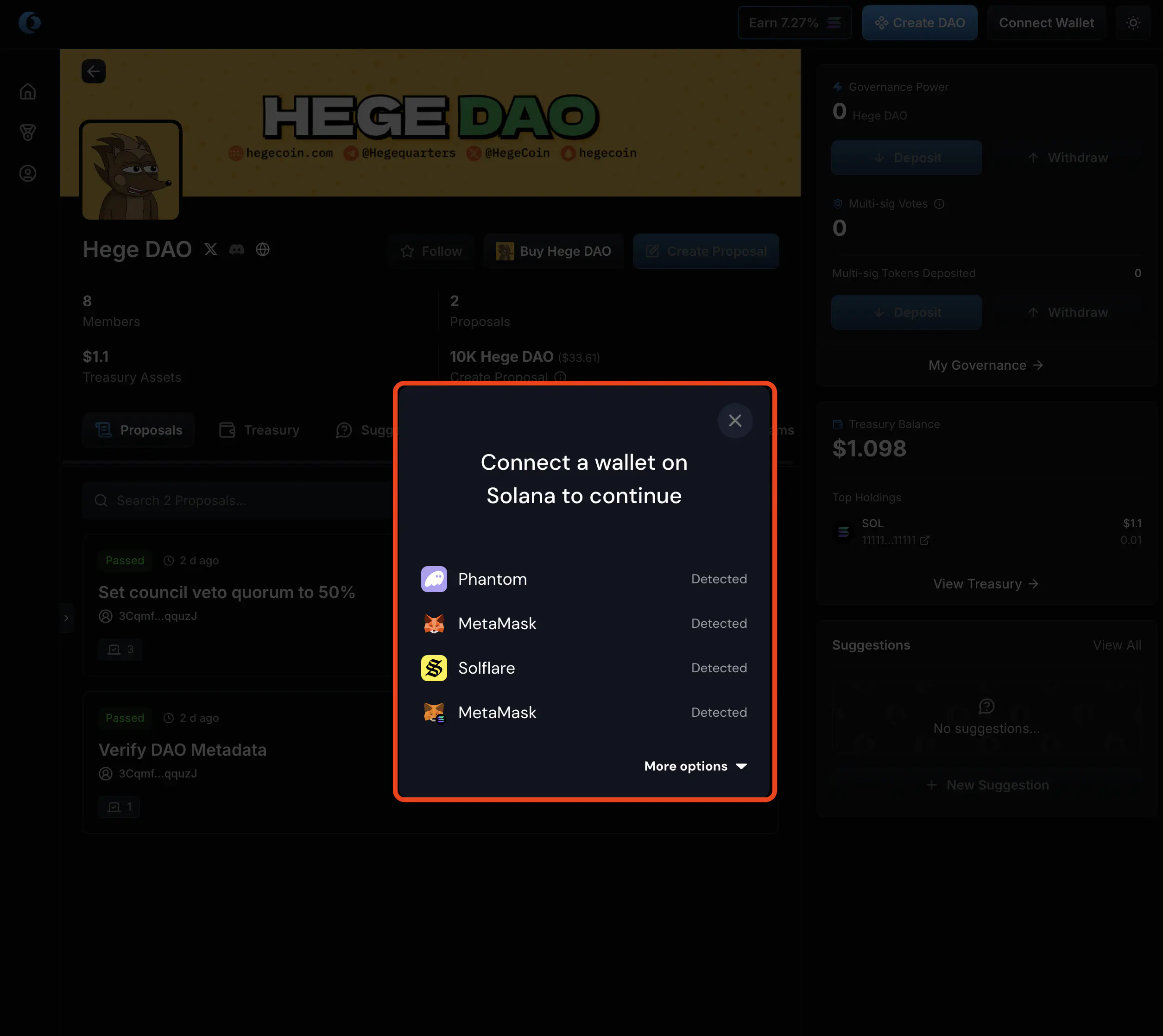
- If necessary, select your Solana wallet to complete the connection.
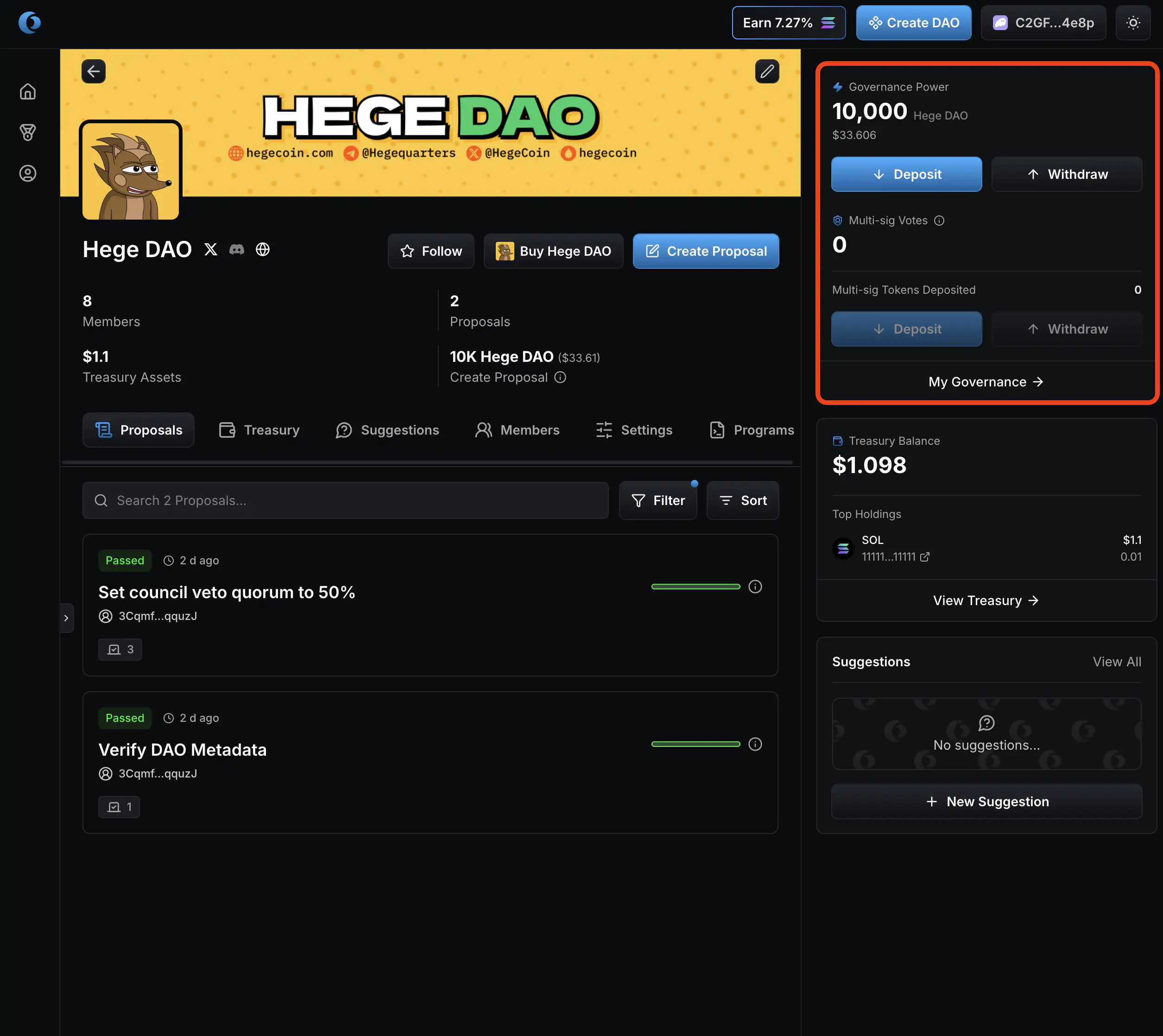
- When you have connected your wallet, you can see how many $HEGE tokens you have deposited in the upper right corner, right next to the banner.
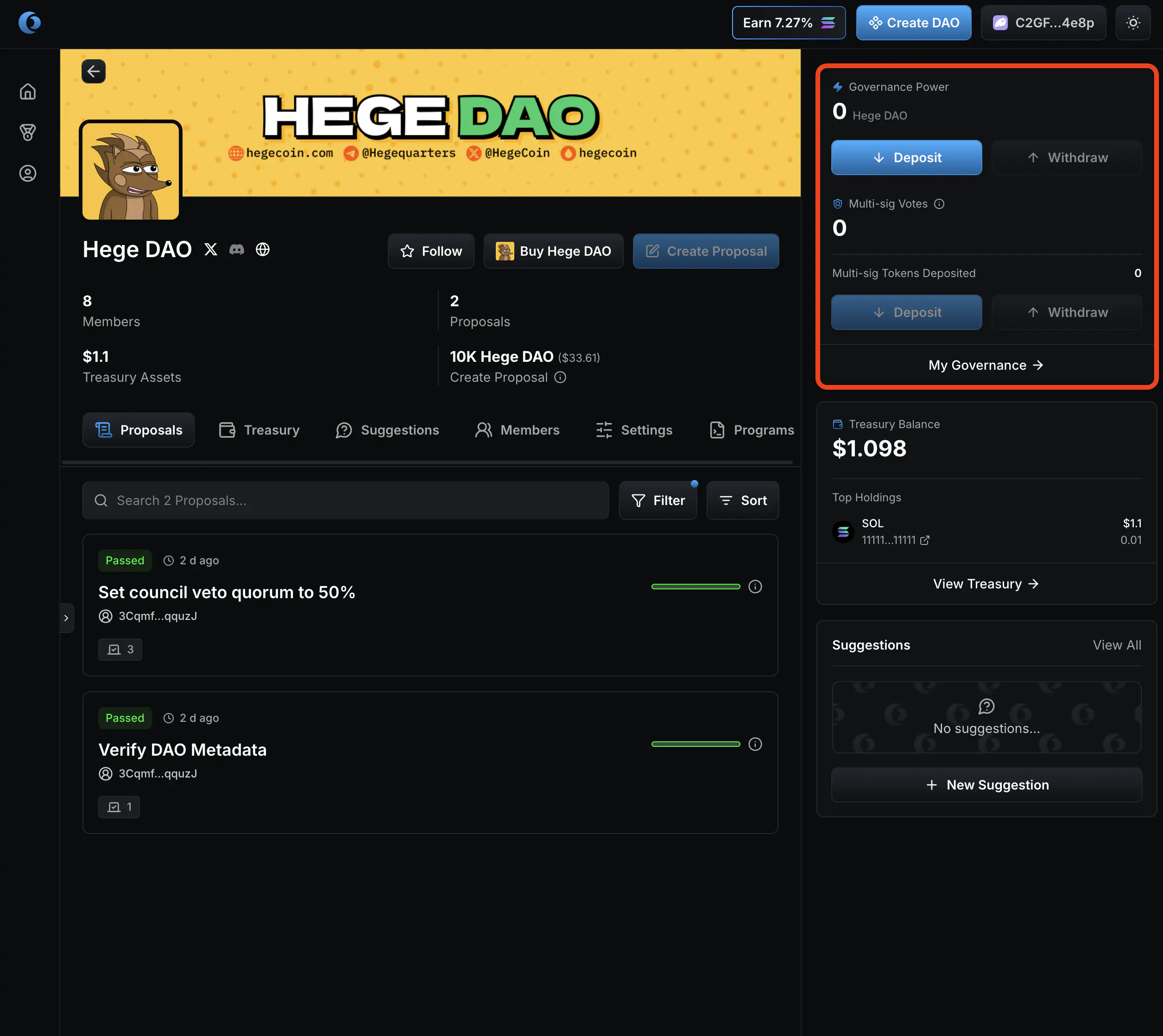
- Click “Deposit”.

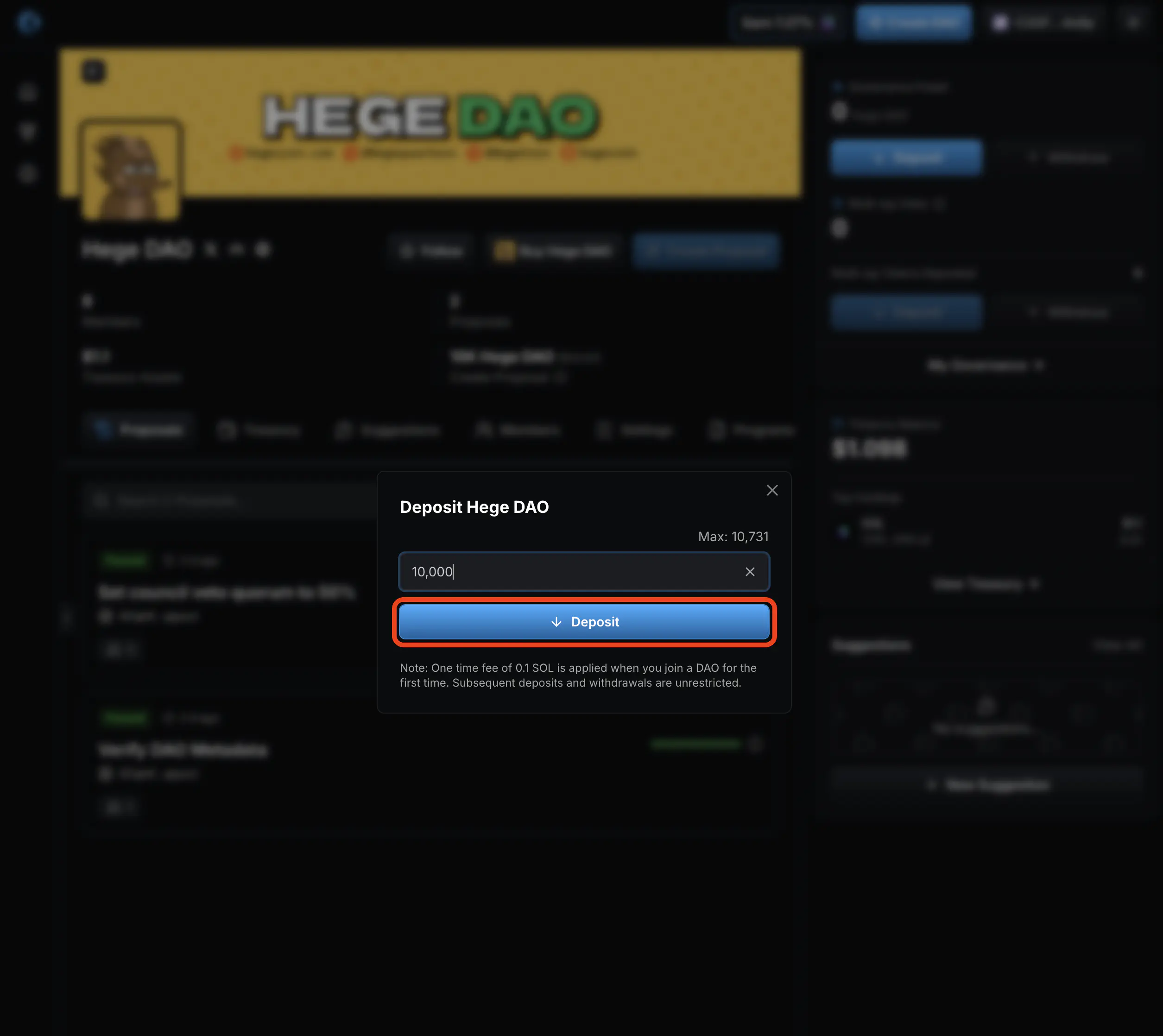
- Select how many $HEGE you want to deposit.

- Then click “Deposit”.
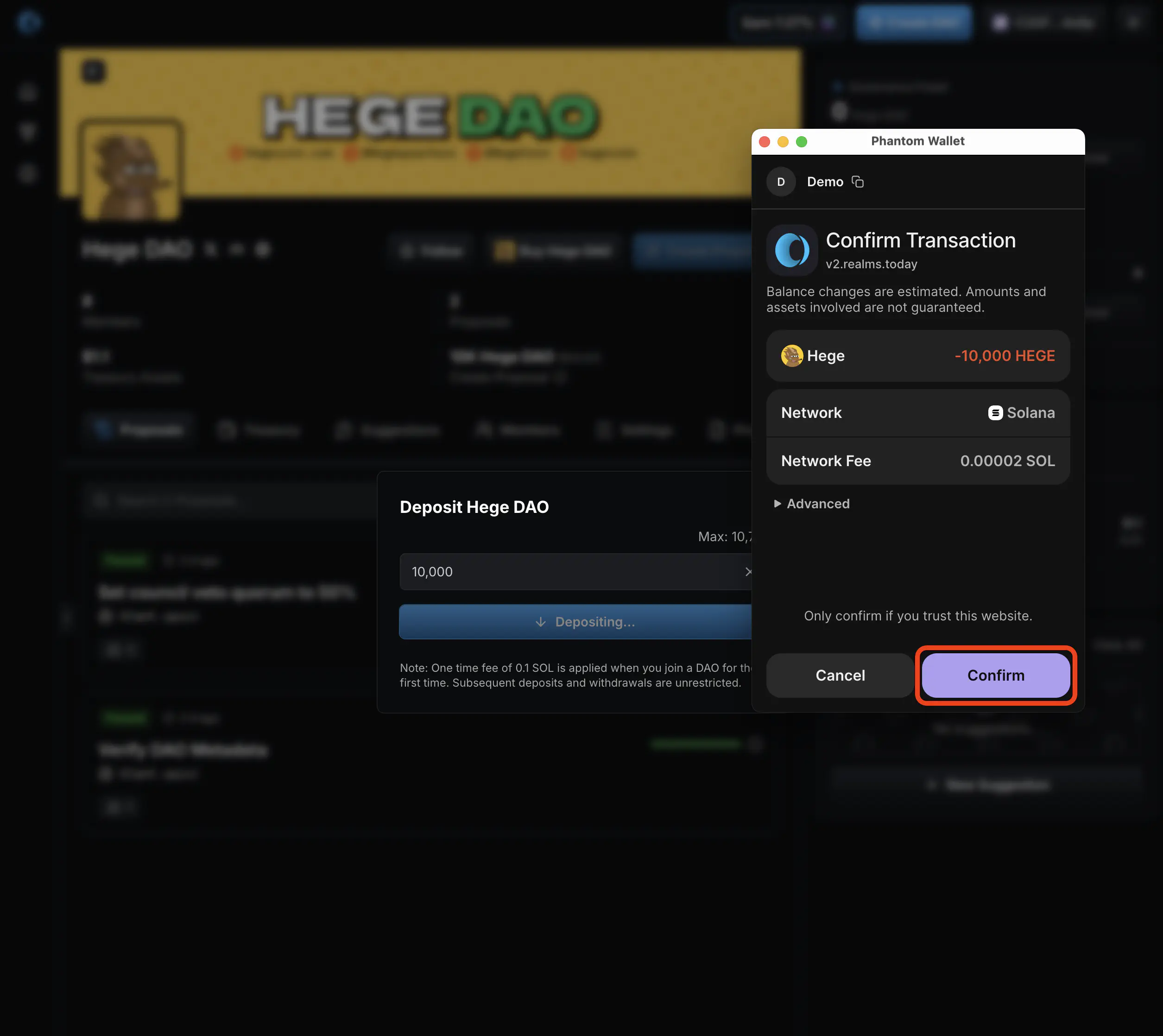
- Confirm the transaction in your Solana wallet.
- That’s it! When the transaction has confirmed on the Solana blockchain, the page will update to show your new balance.
How to withdraw $HEGE from the Hege DAO
- Go to the Hege DAO page on Realms. It should look something like this. Click “Connect Wallet” in the upper right corner of the page to connect your wallet.
- If necessary, select your Solana wallet to complete the connection.
- When you have connected your wallet, you can see how many $HEGE tokens you have deposited in the upper right corner, right next to the banner.
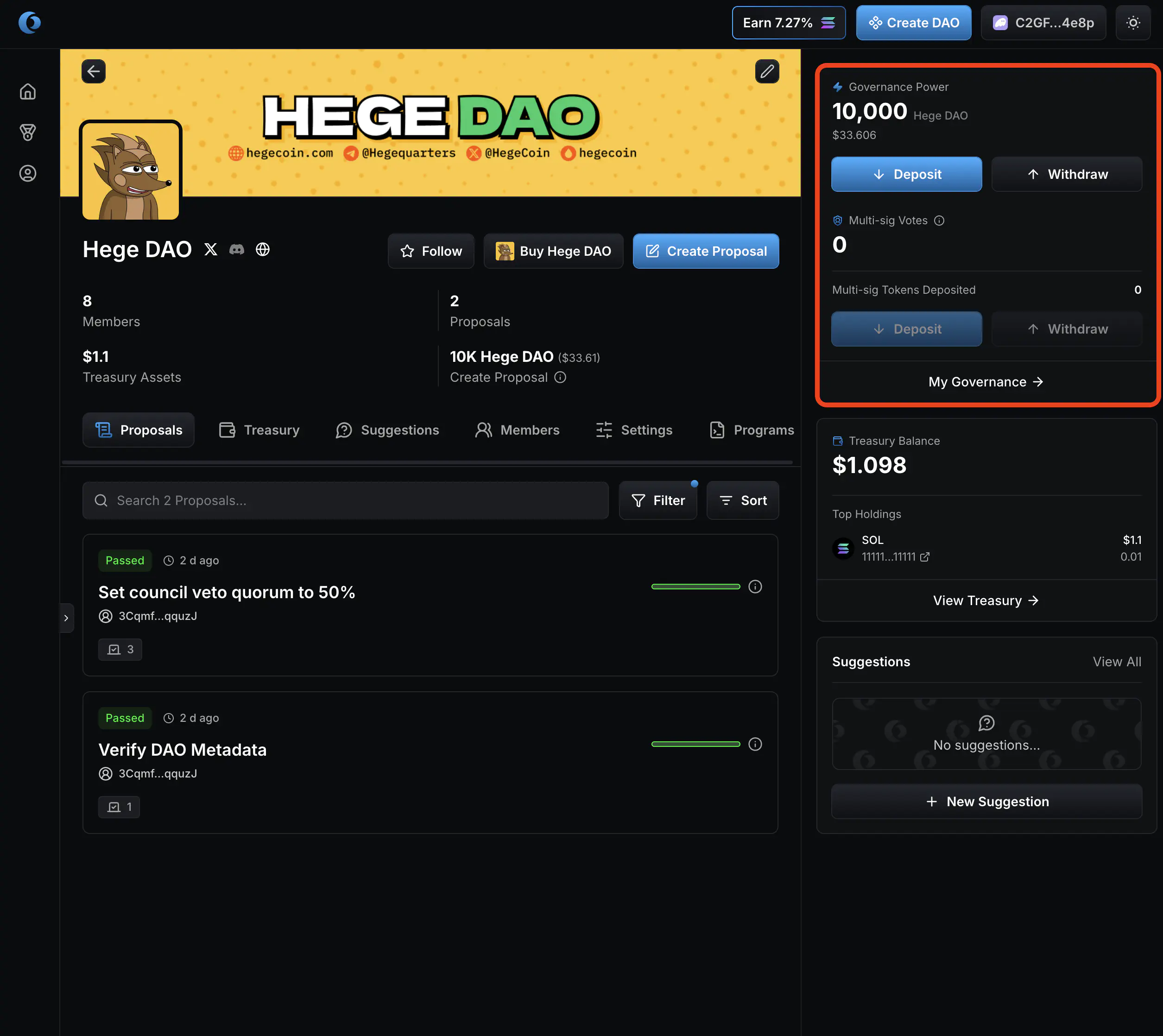
- Click “Withdraw”.
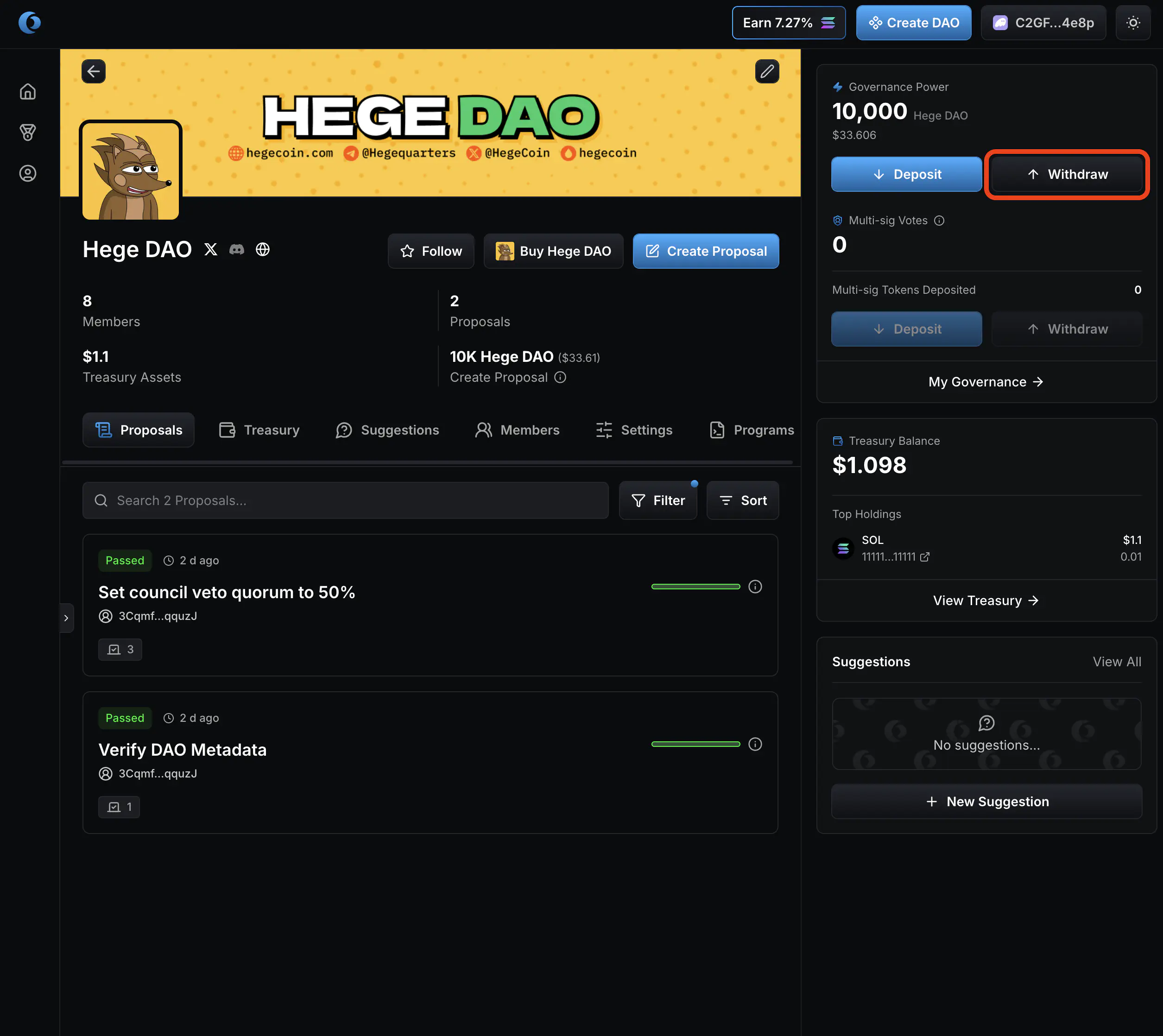
- Select how many $HEGE you want to withdraw.
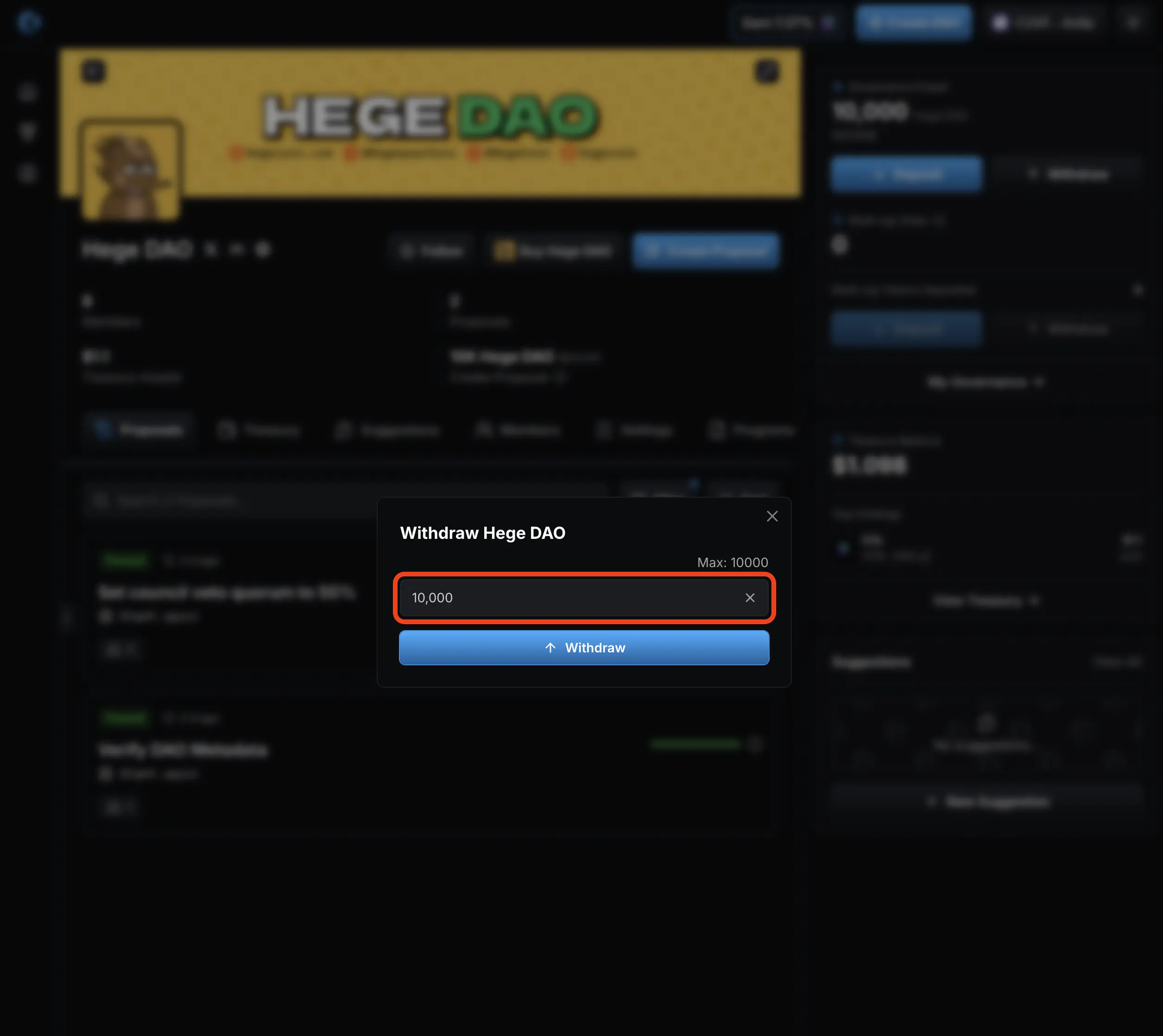
- Then click “Withdraw”.

- Confirm the transaction in your Solana wallet.
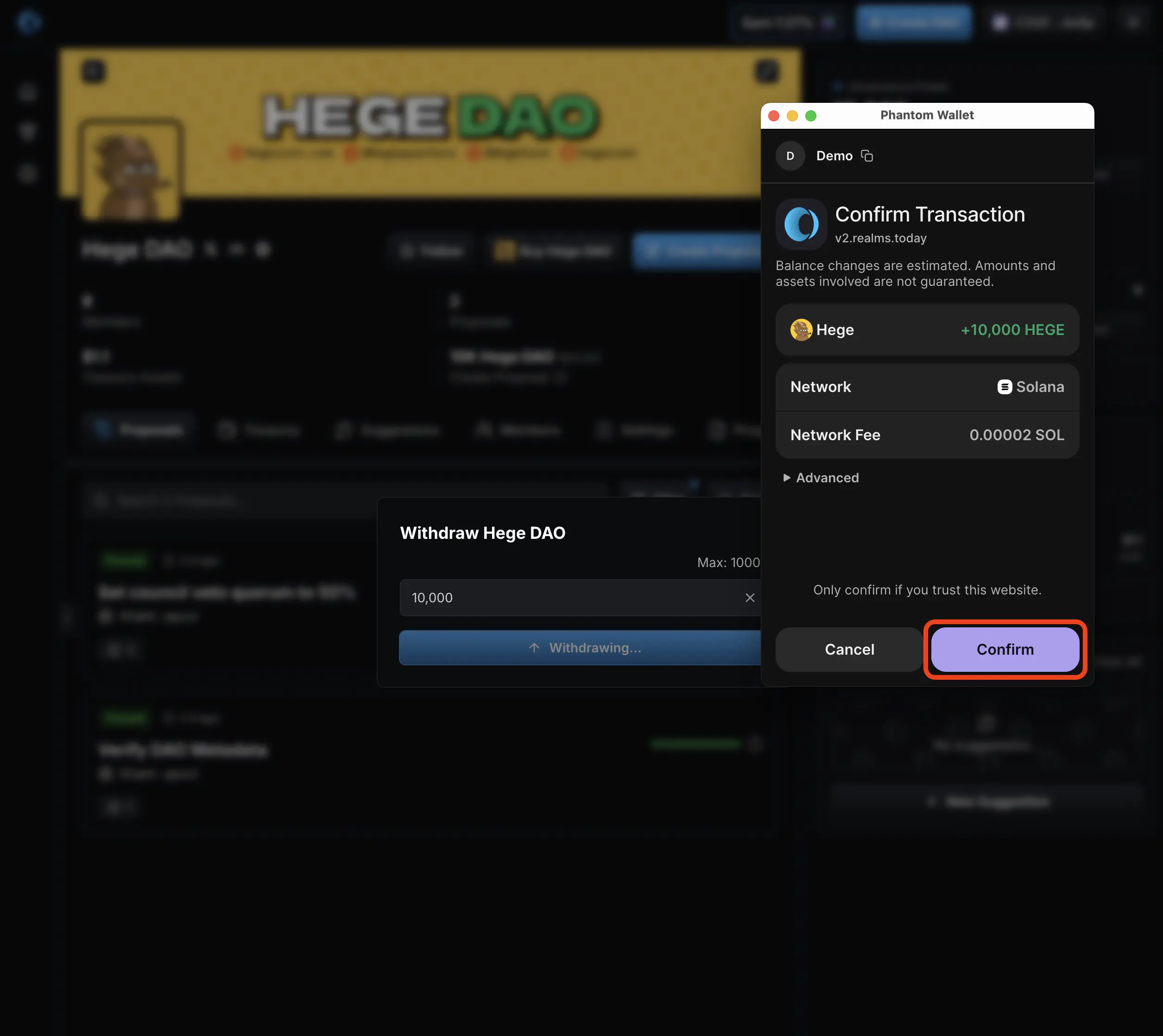
- That’s it! When the transaction has confirmed on the Solana blockchain, the page will update to show your new balance.